
Understanding Go Slices: A Powerful Data Structure
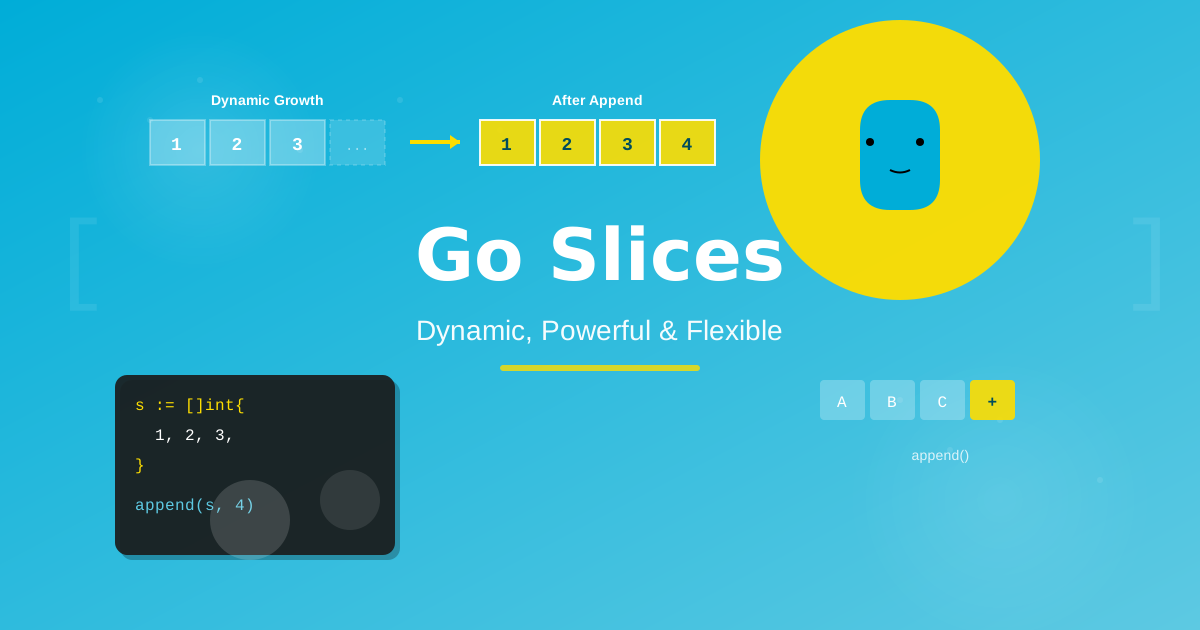
Discover how Go slices work and why they're one of the most versatile data structures in the language. Learn to create, manipulate, and optimize slices with practical examples and best practices.
If you're working with Go, you'll quickly discover that slices are everywhere. They're one of the language's most fundamental and powerful data structures, offering flexibility that arrays simply can't match. Whether you're building web servers, processing data pipelines, or creating command-line tools, understanding slices is essential for writing idiomatic Go code.
In this guide, we'll demystify Go slices, explore how they work under the hood, and learn practical techniques for using them effectively in your projects.
What Are Go Slices?
A slice is a dynamically-sized, flexible view into the elements of an array. Unlike arrays, which have a fixed size determined at compile time, slices can grow and shrink as needed during program execution.
Think of it like this: An array is like a fixed-size parking lot with numbered spaces. A slice is like a flexible section of that parking lot—you can mark off which spaces you're using, and you can expand or contract that section as needed.
The Key Difference: Arrays vs Slices
// Array - fixed size, part of the type
var fixedArray [5]int // An array of exactly 5 integers
fixedArray[0] = 10

// Slice - dynamic size, more flexible
var dynamicSlice []int // A slice that can hold any number of integers
dynamicSlice = append(dynamicSlice, 10) // Grows as needed
The size is part of an array's type ([5]int is different from [10]int), but slices are just []int regardless of how many elements they contain. This makes slices far more versatile for real-world programming.
Creating Slices: Multiple Approaches
Go provides several ways to create slices, each suited for different scenarios.
Method 1: Using Slice Literals
The simplest way to create a slice is with a literal—similar to array literals but without specifying the size:
// Creating a slice with initial values
fruits := []string{"apple", "banana", "orange"}
fmt.Println(fruits) // Output: [apple banana orange]

// Creating an empty slice
numbers := []int{}
fmt.Println(numbers) // Output: []

// You can also declare without initializing
var colors []string // Creates a nil slice
fmt.Println(colors == nil) // Output: true
Method 2: Using the make Function
When you know the size you need upfront, make is your best friend. It allows you to specify both length and capacity:
// make([]Type, length, capacity)

// Create a slice with length 3 and capacity 5
slice := make([]int, 3, 5)
fmt.Println(slice)       // Output: [0 0 0]
fmt.Println(len(slice))  // Output: 3 (current length)
fmt.Println(cap(slice))  // Output: 5 (underlying capacity)

// If capacity is omitted, it equals the length
slice2 := make([]int, 3)
fmt.Println(cap(slice2)) // Output: 3
Understanding Length vs Capacity:
- Length (
len): The number of elements currently in the slice - Capacity (
cap): The number of elements the slice can hold before needing to allocate more memory
slice := make([]int, 3, 5)

// Visual representation:
// Length: [0][0][0]
// Capacity: [0][0][0][_][_]
//           ↑ Can use these  ↑ Reserved for growth
Method 3: Slicing from Arrays or Other Slices
You can create a slice by "slicing" an existing array or slice using the [start:end] syntax:
// Create an array
arr := [6]int{10, 20, 30, 40, 50, 60}

// Create slices from the array
slice1 := arr[1:4]  // Elements at indices 1, 2, 3
fmt.Println(slice1) // Output: [20 30 40]

slice2 := arr[:3]   // From start to index 3 (exclusive)
fmt.Println(slice2) // Output: [10 20 30]

slice3 := arr[3:]   // From index 3 to end
fmt.Println(slice3) // Output: [40 50 60]

slice4 := arr[:]    // All elements
fmt.Println(slice4) // Output: [10 20 30 40 50 60]
Important: When you slice an array or another slice, both share the same underlying array. Changes to one affect the other:
original := []int{1, 2, 3, 4, 5}
subset := original[1:4] // [2 3 4]

subset[0] = 999
fmt.Println(original) // Output: [1 999 3 4 5]
fmt.Println(subset)   // Output: [999 3 4]
Accessing and Modifying Slice Elements
Working with slice elements is straightforward and similar to arrays:
fruits := []string{"apple", "banana", "orange", "grape"}

// Access elements by index (zero-based)
fmt.Println(fruits[0])  // Output: apple
fmt.Println(fruits[2])  // Output: orange

// Modify elements
fruits[1] = "blueberry"
fmt.Println(fruits) // Output: [apple blueberry orange grape]

// Get the length
fmt.Println(len(fruits)) // Output: 4

// Iterate with for loop
for i := 0; i < len(fruits); i++ {
    fmt.Printf("Index %d: %s\n", i, fruits[i])
}

// Iterate with range (more idiomatic)
for index, fruit := range fruits {
    fmt.Printf("%d: %s\n", index, fruit)
}

// Ignore the index if you don't need it
for _, fruit := range fruits {
    fmt.Println(fruit)
}
Growing Slices: The append Function
One of the most powerful features of slices is their ability to grow dynamically using the built-in append function:
// Start with an empty slice
var numbers []int
fmt.Println(numbers) // Output: []

// Append single elements
numbers = append(numbers, 1)
numbers = append(numbers, 2)
numbers = append(numbers, 3)
fmt.Println(numbers) // Output: [1 2 3]

// Append multiple elements at once
numbers = append(numbers, 4, 5, 6)
fmt.Println(numbers) // Output: [1 2 3 4 5 6]

// Append another slice (use ... to unpack)
moreNumbers := []int{7, 8, 9}
numbers = append(numbers, moreNumbers...)
fmt.Println(numbers) // Output: [1 2 3 4 5 6 7 8 9]
Important: append returns a new slice. Always assign the result back to your variable:
// ❌ Wrong - doesn't update the slice
slice := []int{1, 2, 3}
append(slice, 4)
fmt.Println(slice) // Output: [1 2 3] - unchanged!

// ✅ Correct - assigns the result
slice = append(slice, 4)
fmt.Println(slice) // Output: [1 2 3 4]
How append Works Under the Hood
When you append to a slice:
- If capacity is sufficient: The element is added to the existing underlying array
- If capacity is insufficient: Go allocates a new, larger array, copies existing elements, and adds the new one
slice := make([]int, 0, 3)
fmt.Printf("Length: %d, Capacity: %d\n", len(slice), cap(slice))
// Output: Length: 0, Capacity: 3

slice = append(slice, 1, 2, 3)
fmt.Printf("Length: %d, Capacity: %d\n", len(slice), cap(slice))
// Output: Length: 3, Capacity: 3

slice = append(slice, 4) // Triggers reallocation!
fmt.Printf("Length: %d, Capacity: %d\n", len(slice), cap(slice))
// Output: Length: 4, Capacity: 6 (capacity typically doubles)
Slicing Operations: Creating Subsets
The slice operator [start:end] creates a new slice that shares the same underlying array:
original := []string{"Go", "is", "an", "awesome", "language"}

// Basic slicing [start:end] - end is exclusive
subset1 := original[1:3]
fmt.Println(subset1) // Output: [is an]

// Omit start (defaults to 0)
subset2 := original[:2]
fmt.Println(subset2) // Output: [Go is]

// Omit end (defaults to length)
subset3 := original[3:]
fmt.Println(subset3) // Output: [awesome language]

// Copy everything
subset4 := original[:]
fmt.Println(subset4) // Output: [Go is an awesome language]
Three-Index Slicing: Controlling Capacity
Go supports a three-index slice operation [start:end:max] that lets you limit the capacity:
numbers := []int{0, 1, 2, 3, 4, 5, 6, 7, 8, 9}

// Regular two-index slicing
slice1 := numbers[2:5]
fmt.Printf("Values: %v, Length: %d, Capacity: %d\n",
    slice1, len(slice1), cap(slice1))
// Output: Values: [2 3 4], Length: 3, Capacity: 8

// Three-index slicing - limits capacity
slice2 := numbers[2:5:5]
fmt.Printf("Values: %v, Length: %d, Capacity: %d\n",
    slice2, len(slice2), cap(slice2))
// Output: Values: [2 3 4], Length: 3, Capacity: 3
This is useful when you want to ensure a slice doesn't accidentally access elements beyond its logical end.
Copying Slices: The copy Function
Since slices share underlying arrays, sometimes you need a true independent copy:
// Using copy(destination, source)
original := []int{1, 2, 3, 4, 5}
duplicate := make([]int, len(original))

// Copy elements from original to duplicate
numCopied := copy(duplicate, original)
fmt.Printf("Copied %d elements\n", numCopied) // Output: Copied 5 elements

// Now they're independent
duplicate[0] = 999
fmt.Println(original)  // Output: [1 2 3 4 5]
fmt.Println(duplicate) // Output: [999 2 3 4 5]

// copy only copies up to the smaller length
small := make([]int, 3)
copy(small, original)
fmt.Println(small) // Output: [1 2 3]
Practical Use Cases and Patterns
Removing Elements from a Slice
Go doesn't have a built-in remove function, but you can use slicing:
// Remove element at index 2
fruits := []string{"apple", "banana", "cherry", "date", "elderberry"}
index := 2

// Combine slices before and after the element
fruits = append(fruits[:index], fruits[index+1:]...)
fmt.Println(fruits) // Output: [apple banana date elderberry]
Filtering a Slice
A common pattern is creating a new slice with elements that match certain criteria:
numbers := []int{1, 2, 3, 4, 5, 6, 7, 8, 9, 10}

// Keep only even numbers
var evens []int
for _, num := range numbers {
    if num%2 == 0 {
        evens = append(evens, num)
    }
}
fmt.Println(evens) // Output: [2 4 6 8 10]
Pre-allocating for Performance
When you know the approximate size, pre-allocating improves performance:
// ❌ Growing incrementally (slower)
var slow []int
for i := 0; i < 10000; i++ {
    slow = append(slow, i) // May trigger multiple reallocations
}

// ✅ Pre-allocate capacity (faster)
fast := make([]int, 0, 10000)
for i := 0; i < 10000; i++ {
    fast = append(fast, i) // No reallocations needed
}
Key Benefits of Using Slices
1. Dynamic Sizing Unlike arrays, you don't need to know the exact size at compile time. Slices grow and shrink as your data needs change.
2. Memory Efficiency Slices are lightweight—they only store a pointer to the underlying array, length, and capacity. Multiple slices can share the same backing array.
3. Convenient Syntax
Go provides intuitive operators and functions (append, copy, slicing notation) that make working with collections natural and expressive.
4. Versatility Slices work seamlessly with Go's range loops, can be passed to functions without copying the entire data, and integrate smoothly with the standard library.
Common Pitfalls to Avoid
Pitfall 1: Forgetting to Assign append Result
// ❌ Wrong
slice := []int{1, 2, 3}
append(slice, 4)

// ✅ Correct
slice = append(slice, 4)
Pitfall 2: Unintended Sharing of Underlying Arrays
original := []int{1, 2, 3, 4, 5}
subset := original[0:3]

subset[0] = 999
// Both are affected!
fmt.Println(original) // [999 2 3 4 5]
Solution: Use copy when you need independence.
Pitfall 3: Index Out of Range
slice := []int{1, 2, 3}
// fmt.Println(slice[5]) // Panic: runtime error

// Always check bounds
if index < len(slice) {
    fmt.Println(slice[index])
}
Quick Reference Guide
// Creation
var s []int                    // nil slice
s := []int{}                   // empty slice
s := []int{1, 2, 3}           // slice literal
s := make([]int, 5)           // length 5, capacity 5
s := make([]int, 5, 10)       // length 5, capacity 10

// Access
element := s[0]                // get element
s[0] = 10                      // set element
length := len(s)               // get length
capacity := cap(s)             // get capacity

// Modification
s = append(s, 4)              // add one element
s = append(s, 4, 5, 6)        // add multiple
s = append(s, other...)       // append another slice

// Slicing
sub := s[1:3]                 // elements 1, 2
sub := s[:3]                  // elements 0, 1, 2
sub := s[2:]                  // from 2 to end
sub := s[:]                   // all elements
sub := s[1:3:4]               // with capacity limit

// Copying
dest := make([]int, len(src))
copy(dest, src)               // copy src to dest
Wrapping Up
Go slices are one of the language's most elegant and powerful features. They strike a perfect balance between simplicity and functionality, giving you the dynamic behavior you need without the complexity of manual memory management.
As you write more Go code, you'll find slices becoming second nature. They're used everywhere—from command-line arguments (os.Args) to HTTP headers to database query results. Master slices, and you'll have mastered a fundamental building block of Go programming.
Key Takeaways:
- Slices are dynamic, flexible views into arrays
- Use
makewhen you know the size, literals for small fixed data - Always assign the result of
appendback to your variable - Be aware of shared underlying arrays when slicing
- Pre-allocate capacity for performance when processing large datasets
Now go forth and slice with confidence!