
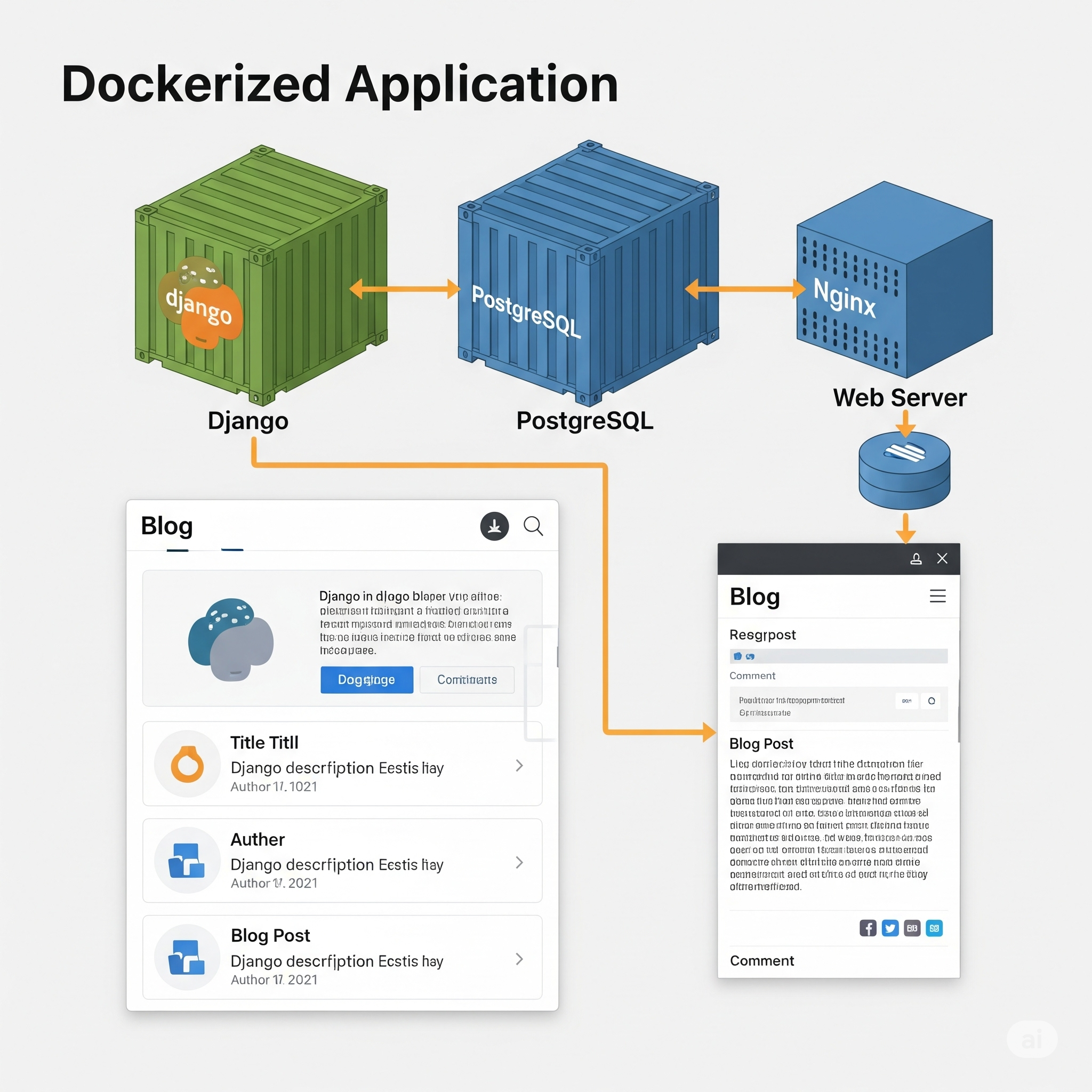
Dockerize Your Django App: A Complete Guide with PostgreSQL
Learn how to set up a Django development environment using Docker and Docker Compose. This step-by-step guide covers everything from initializing a Django project, connecting to PostgreSQL, and running common Django commands in containers.
Introduction
Docker has revolutionized how developers build, ship, and run applications. By containerizing your Django application, you create a consistent, reproducible environment that works identically across development, staging, and production. This guide provides a comprehensive walkthrough of containerizing a Django application with PostgreSQL, following industry best practices and production-ready configurations.
Why Use Docker for Django Development?
Consistency
Docker eliminates the "it works on my machine" problem by packaging your application with all its dependencies, runtime, and configuration into a container. Every developer on your team, regardless of their operating system, runs the exact same environment.
Isolation
Each Docker container is isolated from the host system and other containers. This prevents conflicts between different Python versions, system libraries, or database versions across multiple projects.
Easy Onboarding
New team members can start contributing within minutes. Instead of spending hours installing dependencies and configuring databases, they simply run docker-compose up.
Production Parity
Development environments that mirror production reduce deployment surprises. Docker enables you to use the same PostgreSQL version, Python version, and system libraries locally as you do in production.
Database Management
Spin up PostgreSQL, Redis, or other services instantly without installing them on your host machine. Each project can use different database versions without conflicts.
Microservices Support
Docker simplifies building and managing microservices architectures, where multiple services need to communicate with each other.
Prerequisites
Before starting, ensure you have:
- Docker Engine 20.10 or higher installed
- Docker Compose 2.0 or higher installed
- Basic understanding of Django framework
- Basic command line familiarity
- Text editor or IDE
Verify Installation:
docker --version
# Docker version 24.0.0 or higher

docker-compose --version
# Docker Compose version 2.20.0 or higher
Project Structure Overview
We'll build a Django blog application with this structure:
myproject/
├── blog/
│   ├── migrations/
│   ├── templates/
│   │   ├── blog/
│   │   │   ├── home.html
│   │   │   └── post_detail.html
│   ├── __init__.py
│   ├── admin.py
│   ├── apps.py
│   ├── models.py
│   ├── tests.py
│   ├── urls.py
│   └── views.py
├── myproject/
│   ├── __init__.py
│   ├── asgi.py
│   ├── settings.py
│   ├── urls.py
│   └── wsgi.py
├── static/
├── media/
├── templates/
│   └── base.html
├── .dockerignore
├── .env
├── .gitignore
├── docker-compose.yml
├── Dockerfile
├── manage.py
└── requirements.txt
Step 1: Initialize Django Project
Create Directory
mkdir myproject
cd myproject
Set Up Virtual Environment (Optional)
While Docker will handle the Python environment, you might want a local virtual environment for IDE support:
python3 -m venv venv
source venv/bin/activate  # On Windows: venv\Scripts\activate
Install Django
pip install django
django-admin startproject config .
Note: We use config as the project name and . to create the project in the current directory, avoiding nested directories.
Requirements File
pip freeze > requirements.txt
Your requirements.txt should include:
Django==4.2.7
psycopg2-binary==2.9.9
python-decouple==3.8
gunicorn==21.2.0
whitenoise==6.6.0
Package Explanations:
- Django: The web framework
- psycopg2-binary: PostgreSQL database adapter
- python-decouple: Manage environment variables
- gunicorn: Production-ready WSGI server
- whitenoise: Efficient static file serving
Step 2: Create Dockerfile
Create a Dockerfile in your project root:
# Use official Python runtime as base image
FROM python:3.11-slim

# Set environment variables
ENV PYTHONUNBUFFERED=1 \
    PYTHONDONTWRITEBYTECODE=1 \
    PIP_NO_CACHE_DIR=1 \
    PIP_DISABLE_PIP_VERSION_CHECK=1

# Set work directory
WORKDIR /app

# Install system dependencies
RUN apt-get update && apt-get install -y \
    postgresql-client \
    build-essential \
    libpq-dev \
    && rm -rf /var/lib/apt/lists/*

# Install Python dependencies
COPY requirements.txt /app/
RUN pip install --upgrade pip && \
    pip install -r requirements.txt

# Copy project files
COPY . /app/

# Create static and media directories
RUN mkdir -p /app/static /app/media

# Collect static files (will run in production)
# RUN python manage.py collectstatic --noinput

# Expose port
EXPOSE 8000

# Run the application
CMD ["gunicorn", "--bind", "0.0.0.0:8000", "--workers", "3", "config.wsgi:application"]
Dockerfile Breakdown
Base Image Selection
python:3.11-slim: Lightweight Python image based on Debian- Alternative:
python:3.11-alpinefor even smaller size (requires different build dependencies)
Environment Variables
PYTHONUNBUFFERED=1: Ensures Python output is sent directly to terminal without bufferingPYTHONDONTWRITEBYTECODE=1: Prevents Python from writing .pyc filesPIP_NO_CACHE_DIR=1: Reduces image size by not caching pip packages
System Dependencies
postgresql-client: PostgreSQL command-line toolsbuild-essential: Compilers needed for some Python packageslibpq-dev: PostgreSQL development headers
Layer Optimization
- Copy
requirements.txtfirst to leverage Docker layer caching - Only rebuild dependencies when requirements change
Create .dockerignore
Create .dockerignore to exclude unnecessary files:
*.pyc
__pycache__
*.pyo
*.pyd
.Python
env/
venv/
.venv/
pip-log.txt
pip-delete-this-directory.txt
.git
.gitignore
.dockerignore
docker-compose*.yml
Dockerfile*
README.md
*.md
.env
.env.*
db.sqlite3
*.sqlite3
.coverage
htmlcov/
.pytest_cache/
.vscode/
.idea/
*.swp
*.swo
*~
.DS_Store
node_modules/
Step 3: Create Docker Compose Configuration
Create docker-compose.yml:
version: '3.9'

services:
  db:
    image: postgres:15-alpine
    container_name: django_postgres
    volumes:
      - postgres_data:/var/lib/postgresql/data
    environment:
      POSTGRES_DB: ${DB_NAME:-myproject}
      POSTGRES_USER: ${DB_USER:-myprojectuser}
      POSTGRES_PASSWORD: ${DB_PASSWORD:-mypassword}
    ports:
      - "5432:5432"
    healthcheck:
      test: ["CMD-SHELL", "pg_isready -U ${DB_USER:-myprojectuser}"]
      interval: 10s
      timeout: 5s
      retries: 5
    networks:
      - django_network

  web:
    build:
      context: .
      dockerfile: Dockerfile
    container_name: django_web
    command: python manage.py runserver 0.0.0.0:8000
    volumes:
      - .:/app
      - static_volume:/app/static
      - media_volume:/app/media
    ports:
      - "8000:8000"
    environment:
      DEBUG: ${DEBUG:-True}
      SECRET_KEY: ${SECRET_KEY:-your-secret-key-here}
      DB_NAME: ${DB_NAME:-myproject}
      DB_USER: ${DB_USER:-myprojectuser}
      DB_PASSWORD: ${DB_PASSWORD:-mypassword}
      DB_HOST: db
      DB_PORT: 5432
    depends_on:
      db:
        condition: service_healthy
    networks:
      - django_network

  redis:
    image: redis:7-alpine
    container_name: django_redis
    ports:
      - "6379:6379"
    networks:
      - django_network

volumes:
  postgres_data:
  static_volume:
  media_volume:

networks:
  django_network:
    driver: bridge
Configuration Details
Version: 3.9 is the latest stable version of the Compose file format
Services:
Database Service (db)
- Uses PostgreSQL 15 Alpine for smaller image size
- Persistent storage with named volume
postgres_data - Environment variables from
.envfile with defaults - Health check ensures database is ready before web service starts
- Port 5432 exposed for database clients
Web Service (web)
- Builds from local Dockerfile
- Volume mounts for live code reloading during development
- Separate volumes for static and media files
- Depends on healthy database service
- Development server command (override in production)
Redis Service (redis)
- Optional caching and session storage
- Alpine variant for smaller size
Volumes:
- Named volumes persist data between container restarts
postgres_data: Database filesstatic_volume: Collected static filesmedia_volume: User-uploaded files
Networks:
- Custom bridge network for service communication
- Services reference each other by service name
Step 4: Environment Configuration
Create .env file for environment variables:
# Django Settings
DEBUG=True
SECRET_KEY=your-secret-key-here-change-in-production
ALLOWED_HOSTS=localhost,127.0.0.1,0.0.0.0

# Database Settings
DB_NAME=myproject
DB_USER=myprojectuser
DB_PASSWORD=mypassword
DB_HOST=db
DB_PORT=5432

# Redis Settings (optional)
REDIS_URL=redis://redis:6379/0
Important: Add .env to .gitignore to prevent committing secrets:
echo ".env" >> .gitignore
Django Settings
Modify config/settings.py to use environment variables:
import os
from pathlib import Path
from decouple import config, Csv

# Build paths inside the project
BASE_DIR = Path(__file__).resolve().parent.parent

# Security settings
SECRET_KEY = config('SECRET_KEY', default='unsafe-secret-key-for-dev-only')
DEBUG = config('DEBUG', default=True, cast=bool)
ALLOWED_HOSTS = config('ALLOWED_HOSTS', default='localhost,127.0.0.1', cast=Csv())

# Application definition
INSTALLED_APPS = [
    'django.contrib.admin',
    'django.contrib.auth',
    'django.contrib.contenttypes',
    'django.contrib.sessions',
    'django.contrib.messages',
    'django.contrib.staticfiles',

    # Local apps
    'blog.apps.BlogConfig',
]

MIDDLEWARE = [
    'django.middleware.security.SecurityMiddleware',
    'whitenoise.middleware.WhiteNoiseMiddleware',  # Serve static files
    'django.contrib.sessions.middleware.SessionMiddleware',
    'django.middleware.common.CommonMiddleware',
    'django.middleware.csrf.CsrfViewMiddleware',
    'django.contrib.auth.middleware.AuthenticationMiddleware',
    'django.contrib.messages.middleware.MessageMiddleware',
    'django.middleware.clickjacking.XFrameOptionsMiddleware',
]

ROOT_URLCONF = 'config.urls'

TEMPLATES = [
    {
        'BACKEND': 'django.template.backends.django.DjangoTemplates',
        'DIRS': [BASE_DIR / 'templates'],
        'APP_DIRS': True,
        'OPTIONS': {
            'context_processors': [
                'django.template.context_processors.debug',
                'django.template.context_processors.request',
                'django.contrib.auth.context_processors.auth',
                'django.contrib.messages.context_processors.messages',
            ],
        },
    },
]

WSGI_APPLICATION = 'config.wsgi.application'

# Database configuration
DATABASES = {
    'default': {
        'ENGINE': 'django.db.backends.postgresql',
        'NAME': config('DB_NAME', default='myproject'),
        'USER': config('DB_USER', default='myprojectuser'),
        'PASSWORD': config('DB_PASSWORD', default='mypassword'),
        'HOST': config('DB_HOST', default='localhost'),
        'PORT': config('DB_PORT', default='5432'),
        'CONN_MAX_AGE': 600,  # Connection pooling
        'OPTIONS': {
            'connect_timeout': 10,
        }
    }
}

# Cache configuration (optional Redis)
CACHES = {
    'default': {
        'BACKEND': 'django.core.cache.backends.redis.RedisCache',
        'LOCATION': config('REDIS_URL', default='redis://localhost:6379/0'),
        'OPTIONS': {
            'CLIENT_CLASS': 'django_redis.client.DefaultClient',
        },
        'KEY_PREFIX': 'myproject',
        'TIMEOUT': 300,
    }
}

# Password validation
AUTH_PASSWORD_VALIDATORS = [
    {
        'NAME': 'django.contrib.auth.password_validation.UserAttributeSimilarityValidator',
    },
    {
        'NAME': 'django.contrib.auth.password_validation.MinimumLengthValidator',
    },
    {
        'NAME': 'django.contrib.auth.password_validation.CommonPasswordValidator',
    },
    {
        'NAME': 'django.contrib.auth.password_validation.NumericPasswordValidator',
    },
]

# Internationalization
LANGUAGE_CODE = 'en-us'
TIME_ZONE = 'UTC'
USE_I18N = True
USE_TZ = True

# Static files (CSS, JavaScript, Images)
STATIC_URL = '/static/'
STATIC_ROOT = BASE_DIR / 'staticfiles'
STATICFILES_DIRS = [BASE_DIR / 'static']

# WhiteNoise configuration
STATICFILES_STORAGE = 'whitenoise.storage.CompressedManifestStaticFilesStorage'

# Media files
MEDIA_URL = '/media/'
MEDIA_ROOT = BASE_DIR / 'media'

# Default primary key field type
DEFAULT_AUTO_FIELD = 'django.db.models.BigAutoField'

# Logging configuration
LOGGING = {
    'version': 1,
    'disable_existing_loggers': False,
    'formatters': {
        'verbose': {
            'format': '{levelname} {asctime} {module} {message}',
            'style': '{',
        },
    },
    'handlers': {
        'console': {
            'class': 'logging.StreamHandler',
            'formatter': 'verbose',
        },
    },
    'root': {
        'handlers': ['console'],
        'level': 'INFO',
    },
    'loggers': {
        'django': {
            'handlers': ['console'],
            'level': 'INFO',
            'propagate': False,
        },
    },
}

# Production security settings (enable in production)
if not DEBUG:
    SECURE_SSL_REDIRECT = True
    SESSION_COOKIE_SECURE = True
    CSRF_COOKIE_SECURE = True
    SECURE_BROWSER_XSS_FILTER = True
    SECURE_CONTENT_TYPE_NOSNIFF = True
    X_FRAME_OPTIONS = 'DENY'
    SECURE_HSTS_SECONDS = 31536000
    SECURE_HSTS_INCLUDE_SUBDOMAINS = True
    SECURE_HSTS_PRELOAD = True
Step 5: Build and Run Docker Containers
Build Images
docker-compose build
This command:
- Reads the
docker-compose.ymlfile - Builds the web service from the Dockerfile
- Pulls the PostgreSQL and Redis images
- Creates the network and volumes
Start Services
docker-compose up
For background execution:
docker-compose up -d
Verify Containers
docker-compose ps
Expected output:
NAME                COMMAND                  SERVICE   STATUS    PORTS
django_postgres     "docker-entrypoint.s…"   db        running   0.0.0.0:5432->5432/tcp
django_redis        "docker-entrypoint.s…"   redis     running   0.0.0.0:6379->6379/tcp
django_web          "python manage.py ru…"   web       running   0.0.0.0:8000->8000/tcp
View Logs
# All services
docker-compose logs -f

# Specific service
docker-compose logs -f web

# Last 100 lines
docker-compose logs --tail=100 web
Step 6: Run Django Management Commands
Run Migrations
docker-compose exec web python manage.py migrate
Create Superuser
docker-compose exec web python manage.py createsuperuser
Follow the prompts to create an admin account.
Create Django App
docker-compose exec web python manage.py startapp blog
Collect Static Files
docker-compose exec web python manage.py collectstatic --noinput
Access Django Shell
docker-compose exec web python manage.py shell
Run Tests
docker-compose exec web python manage.py test
Backup Database
docker-compose exec db pg_dump -U myprojectuser myproject > backup.sql
Restore Database
docker-compose exec -T db psql -U myprojectuser myproject < backup.sql
Step 7: Build Blog Application
Register Blog App
Add to INSTALLED_APPS in config/settings.py:
INSTALLED_APPS = [
    # ...
    'blog.apps.BlogConfig',
]
Create Models
Edit blog/models.py:
from django.db import models
from django.contrib.auth.models import User
from django.urls import reverse
from django.utils.text import slugify

class Category(models.Model):
    """Blog post category"""
    name = models.CharField(max_length=100, unique=True)
    slug = models.SlugField(max_length=100, unique=True)
    description = models.TextField(blank=True)
    created_at = models.DateTimeField(auto_now_add=True)

    class Meta:
        verbose_name_plural = 'Categories'
        ordering = ['name']

    def __str__(self):
        return self.name

    def get_absolute_url(self):
        return reverse('blog:category_posts', kwargs={'slug': self.slug})

    def save(self, *args, **kwargs):
        if not self.slug:
            self.slug = slugify(self.name)
        super().save(*args, **kwargs)

class Post(models.Model):
    """Blog post model"""

    STATUS_CHOICES = [
        ('draft', 'Draft'),
        ('published', 'Published'),
    ]

    title = models.CharField(max_length=250)
    slug = models.SlugField(max_length=250, unique=True)
    author = models.ForeignKey(
        User,
        on_delete=models.CASCADE,
        related_name='blog_posts'
    )
    category = models.ForeignKey(
        Category,
        on_delete=models.SET_NULL,
        null=True,
        blank=True,
        related_name='posts'
    )
    excerpt = models.TextField(max_length=500, blank=True)
    body = models.TextField()
    featured_image = models.ImageField(
        upload_to='blog/images/%Y/%m/%d/',
        blank=True,
        null=True
    )
    status = models.CharField(
        max_length=10,
        choices=STATUS_CHOICES,
        default='draft'
    )
    created_at = models.DateTimeField(auto_now_add=True)
    updated_at = models.DateTimeField(auto_now=True)
    published_at = models.DateTimeField(null=True, blank=True)
    views = models.PositiveIntegerField(default=0)

    class Meta:
        ordering = ['-published_at', '-created_at']
        indexes = [
            models.Index(fields=['-published_at']),
            models.Index(fields=['status']),
        ]

    def __str__(self):
        return self.title

    def get_absolute_url(self):
        return reverse('blog:post_detail', kwargs={'slug': self.slug})

    def save(self, *args, **kwargs):
        if not self.slug:
            self.slug = slugify(self.title)
        if not self.excerpt:
            self.excerpt = self.body[:200]
        super().save(*args, **kwargs)

    @property
    def reading_time(self):
        """Calculate estimated reading time in minutes"""
        word_count = len(self.body.split())
        return max(1, round(word_count / 200))

class Comment(models.Model):
    """Blog post comment"""
    post = models.ForeignKey(
        Post,
        on_delete=models.CASCADE,
        related_name='comments'
    )
    author = models.ForeignKey(
        User,
        on_delete=models.CASCADE,
        related_name='blog_comments'
    )
    body = models.TextField(max_length=500)
    created_at = models.DateTimeField(auto_now_add=True)
    updated_at = models.DateTimeField(auto_now=True)
    active = models.BooleanField(default=True)

    class Meta:
        ordering = ['created_at']
        indexes = [
            models.Index(fields=['post', '-created_at']),
        ]

    def __str__(self):
        return f'Comment by {self.author.username} on {self.post.title}'
Run Migrations
docker-compose exec web python manage.py makemigrations blog
docker-compose exec web python manage.py migrate blog
Admin Registration
Edit blog/admin.py:
from django.contrib import admin
from .models import Category, Post, Comment

@admin.register(Category)
class CategoryAdmin(admin.ModelAdmin):
    list_display = ['name', 'slug', 'created_at']
    prepopulated_fields = {'slug': ('name',)}
    search_fields = ['name', 'description']

@admin.register(Post)
class PostAdmin(admin.ModelAdmin):
    list_display = ['title', 'author', 'category', 'status', 'published_at', 'views']
    list_filter = ['status', 'category', 'published_at', 'author']
    search_fields = ['title', 'body']
    prepopulated_fields = {'slug': ('title',)}
    date_hierarchy = 'published_at'
    ordering = ['-published_at', '-created_at']

    fieldsets = (
        ('Content', {
            'fields': ('title', 'slug', 'author', 'category', 'excerpt', 'body', 'featured_image')
        }),
        ('Publishing', {
            'fields': ('status', 'published_at')
        }),
        ('Meta', {
            'fields': ('views',),
            'classes': ('collapse',)
        }),
    )

    def get_queryset(self, request):
        queryset = super().get_queryset(request)
        return queryset.select_related('author', 'category')

@admin.register(Comment)
class CommentAdmin(admin.ModelAdmin):
    list_display = ['author', 'post', 'created_at', 'active']
    list_filter = ['active', 'created_at']
    search_fields = ['author__username', 'body']
    date_hierarchy = 'created_at'

    def get_queryset(self, request):
        queryset = super().get_queryset(request)
        return queryset.select_related('author', 'post')
Step 8: Create Views
Edit blog/views.py:
from django.views.generic import ListView, DetailView
from django.shortcuts import get_object_or_404
from django.db.models import Q, Count
from .models import Post, Category

class HomePageView(ListView):
    """Display list of published blog posts"""
    model = Post
    template_name = 'blog/home.html'
    context_object_name = 'posts'
    paginate_by = 10

    def get_queryset(self):
        queryset = Post.objects.filter(status='published').select_related(
            'author', 'category'
        ).prefetch_related('comments')

        # Search functionality
        search_query = self.request.GET.get('q')
        if search_query:
            queryset = queryset.filter(
                Q(title__icontains=search_query) |
                Q(body__icontains=search_query) |
                Q(excerpt__icontains=search_query)
            )

        return queryset

    def get_context_data(self, **kwargs):
        context = super().get_context_data(**kwargs)
        context['categories'] = Category.objects.annotate(
            post_count=Count('posts', filter=Q(posts__status='published'))
        )
        return context

class PostDetailView(DetailView):
    """Display single blog post"""
    model = Post
    template_name = 'blog/post_detail.html'
    context_object_name = 'post'

    def get_queryset(self):
        return Post.objects.filter(status='published').select_related(
            'author', 'category'
        ).prefetch_related('comments__author')

    def get_object(self, queryset=None):
        obj = super().get_object(queryset)
        # Increment view count
        obj.views += 1
        obj.save(update_fields=['views'])
        return obj

    def get_context_data(self, **kwargs):
        context = super().get_context_data(**kwargs)
        # Get related posts
        context['related_posts'] = Post.objects.filter(
            category=self.object.category,
            status='published'
        ).exclude(pk=self.object.pk)[:3]
        return context

class CategoryPostsView(ListView):
    """Display posts by category"""
    model = Post
    template_name = 'blog/category_posts.html'
    context_object_name = 'posts'
    paginate_by = 10

    def get_queryset(self):
        self.category = get_object_or_404(Category, slug=self.kwargs['slug'])
        return Post.objects.filter(
            category=self.category,
            status='published'
        ).select_related('author', 'category')

    def get_context_data(self, **kwargs):
        context = super().get_context_data(**kwargs)
        context['category'] = self.category
        return context
Step 9: Create Templates
Base Template
Create templates/base.html:
<!DOCTYPE html>
<html lang="en">
<head>
<meta charset="UTF-8">
<meta name="viewport" content="width=device-width, initial-scale=1.0">
<title>{% block title %}My Blog{% endblock %}</title>
<style>
* {
margin: 0;
padding: 0;
box-sizing: border-box;
}
body {
font-family: -apple-system, BlinkMacSystemFont, 'Segoe UI', Roboto, Oxygen, Ubuntu, Cantarell, sans-serif;
line-height: 1.6;
color: #333;
background-color: #f4f4f4;
}
.container {
max-width: 1200px;
margin: 0 auto;
padding: 0 20px;
}
header {
background-color: #2c3e50;
color: white;
padding: 1rem 0;
margin-bottom: 2rem;
}
header h1 {
margin-bottom: 0.5rem;
}
nav a {
color: white;
text-decoration: none;
margin-right: 1rem;
}
nav a:hover {
text-decoration: underline;
}
main {
background: white;
padding: 2rem;
border-radius: 8px;
box-shadow: 0 2px 4px rgba(0,0,0,0.1);
margin-bottom: 2rem;
}
.post-card {
border-bottom: 1px solid #eee;
padding: 1.5rem 0;
}
.post-card:last-child {
border-bottom: none;
}
.post-card h2 {
margin-bottom: 0.5rem;
}
.post-card h2 a {
color: #2c3e50;
text-decoration: none;
}
.post-card h2 a:hover {
color: #3498db;
}
.post-meta {
color: #7f8c8d;
font-size: 0.9rem;
margin-bottom: 0.5rem;
}
.post-excerpt {
color: #555;
margin-bottom: 0.5rem;
}
.btn {
display: inline-block;
padding: 0.5rem 1rem;
background-color: #3498db;
color: white;
text-decoration: none;
border-radius: 4px;
}
.btn:hover {
background-color: #2980b9;
}
.pagination {
text-align: center;
margin-top: 2rem;
}
.pagination a {
color: #3498db;
text-decoration: none;
margin: 0 0.5rem;
}
.search-form {
margin-bottom: 2rem;
}
.search-form input {
padding: 0.5rem;
width: 300px;
border: 1px solid #ddd;
border-radius: 4px;
}
footer {
text-align: center;
padding: 2rem 0;
color: #7f8c8d;
}
</style>
{% block extra_css %}{% endblock %}
</head>
<body>
<header>
<div class="container">
<h1>My Blog</h1>
<nav>
<a href="{% url 'blog:home' %}">Home</a>
<a href="{% url 'admin:index' %}">Admin</a>
</nav>
</div>
</header>
<div class="container">
<main>
{% block content %}{% endblock %}
</main>
</div>
<footer>
<div class="container">
<p>© 2024 My Blog. Built with Django and Docker.</p>
</div>
</footer>
{% block extra_js %}{% endblock %}
</body>
</html>
Home Page Template
Create templates/blog/home.html:
{% extends 'base.html' %}

{% block title %}Home - My Blog{% endblock %}

{% block content %}
<h1>Latest Posts</h1>

<form class="search-form" method="get">
    <input type="text" name="q" placeholder="Search posts..." value="{{ request.GET.q }}">
    <button type="submit" class="btn">Search</button>
</form>

{% if posts %}
    {% for post in posts %}
    <article class="post-card">
        <h2><a href="{% url 'blog:post_detail' post.slug %}">{{ post.title }}</a></h2>
        <div class="post-meta">
            By {{ post.author.get_full_name|default:post.author.username }}
            on {{ post.published_at|date:"F d, Y" }}
            {% if post.category %}
            in <a href="{% url 'blog:category_posts' post.category.slug %}">{{ post.category.name }}</a>
            {% endif %}
            • {{ post.reading_time }} min read
            • {{ post.comments.count }} comment{{ post.comments.count|pluralize }}
        </div>
        <p class="post-excerpt">{{ post.excerpt }}</p>
        <a href="{% url 'blog:post_detail' post.slug %}" class="btn">Read More</a>
    </article>
    {% endfor %}

    {% if is_paginated %}
    <div class="pagination">
        {% if page_obj.has_previous %}
            <a href="?page=1">« First</a>
            <a href="?page={{ page_obj.previous_page_number }}">Previous</a>
        {% endif %}

        <span>Page {{ page_obj.number }} of {{ page_obj.paginator.num_pages }}</span>

        {% if page_obj.has_next %}
            <a href="?page={{ page_obj.next_page_number }}">Next</a>
            <a href="?page={{ page_obj.paginator.num_pages }}">Last »</a>
        {% endif %}
    </div>
    {% endif %}
{% else %}
    <p>No posts available yet.</p>
{% endif %}

{% if categories %}
<aside style="margin-top: 2rem; padding-top: 2rem; border-top: 1px solid #eee;">
    <h3>Categories</h3>
    <ul style="list-style: none;">
        {% for category in categories %}
        <li style="margin-bottom: 0.5rem;">
            <a href="{% url 'blog:category_posts' category.slug %}">
                {{ category.name }} ({{ category.post_count }})
            </a>
        </li>
        {% endfor %}
    </ul>
</aside>
{% endif %}
{% endblock %}
Post Detail Template
Create templates/blog/post_detail.html:
{% extends 'base.html' %}

{% block title %}{{ post.title }} - My Blog{% endblock %}

{% block content %}
<article>
    <header style="margin-bottom: 2rem;">
        <h1>{{ post.title }}</h1>
        <div class="post-meta">
            By {{ post.author.get_full_name|default:post.author.username }}
            on {{ post.published_at|date:"F d, Y" }}
            {% if post.category %}
            in <a href="{% url 'blog:category_posts' post.category.slug %}">{{ post.category.name }}</a>
            {% endif %}
            • {{ post.reading_time }} min read
            • {{ post.views }} view{{ post.views|pluralize }}
        </div>
    </header>

    {% if post.featured_image %}
    <img src="{{ post.featured_image.url }}" alt="{{ post.title }}" style="max-width: 100%; height: auto; margin-bottom: 2rem; border-radius: 8px;">
    {% endif %}

    <div style="line-height: 1.8; font-size: 1.1rem;">
        {{ post.body|linebreaks }}
    </div>
</article>

{% if related_posts %}
<aside style="margin-top: 3rem; padding-top: 2rem; border-top: 1px solid #eee;">
    <h3>Related Posts</h3>
    {% for related in related_posts %}
    <div style="margin-bottom: 1rem;">
        <h4 style="margin-bottom: 0.25rem;">
            <a href="{% url 'blog:post_detail' related.slug %}">{{ related.title }}</a>
        </h4>
        <div class="post-meta">
            {{ related.published_at|date:"F d, Y" }}
        </div>
    </div>
    {% endfor %}
</aside>
{% endif %}

<section style="margin-top: 3rem; padding-top: 2rem; border-top: 1px solid #eee;">
    <h3>Comments ({{ post.comments.count }})</h3>

    {% for comment in post.comments.all %}
    <div style="margin: 1.5rem 0; padding: 1rem; background: #f8f9fa; border-radius: 4px;">
        <div style="font-weight: bold; margin-bottom: 0.5rem;">
            {{ comment.author.username }}
            <span style="color: #7f8c8d; font-weight: normal; font-size: 0.9rem;">
                on {{ comment.created_at|date:"F d, Y" }}
            </span>
        </div>
        <p>{{ comment.body }}</p>
    </div>
    {% empty %}
    <p>No comments yet. Be the first to comment!</p>
    {% endfor %}
</section>

<div style="margin-top: 2rem;">
    <a href="{% url 'blog:home' %}" class="btn">← Back to Home</a>
</div>
{% endblock %}
Category Posts Template
Create templates/blog/category_posts.html:
{% extends 'base.html' %}

{% block title %}{{ category.name }} - My Blog{% endblock %}

{% block content %}
<h1>Posts in {{ category.name }}</h1>

{% if category.description %}
<p style="color: #7f8c8d; margin-bottom: 2rem;">{{ category.description }}</p>
{% endif %}

{% if posts %}
    {% for post in posts %}
    <article class="post-card">
        <h2><a href="{% url 'blog:post_detail' post.slug %}">{{ post.title }}</a></h2>
        <div class="post-meta">
            By {{ post.author.get_full_name|default:post.author.username }}
            on {{ post.published_at|date:"F d, Y" }}
            • {{ post.reading_time }} min read
        </div>
        <p class="post-excerpt">{{ post.excerpt }}</p>
        <a href="{% url 'blog:post_detail' post.slug %}" class="btn">Read More</a>
    </article>
    {% endfor %}

    {% if is_paginated %}
    <div class="pagination">
        {% if page_obj.has_previous %}
            <a href="?page={{ page_obj.previous_page_number }}">Previous</a>
        {% endif %}

        <span>Page {{ page_obj.number }} of {{ page_obj.paginator.num_pages }}</span>

        {% if page_obj.has_next %}
            <a href="?page={{ page_obj.next_page_number }}">Next</a>
        {% endif %}
    </div>
    {% endif %}
{% else %}
    <p>No posts in this category yet.</p>
{% endif %}

<div style="margin-top: 2rem;">
    <a href="{% url 'blog:home' %}" class="btn">← Back to Home</a>
</div>
{% endblock %}
Step 10: Configure URLs
Blog URLs
Create blog/urls.py:
from django.urls import path
from . import views

app_name = 'blog'

urlpatterns = [
    path('', views.HomePageView.as_view(), name='home'),
    path('category/<slug:slug>/', views.CategoryPostsView.as_view(), name='category_posts'),
    path('<slug:slug>/', views.PostDetailView.as_view(), name='post_detail'),
]
Project URLs
Edit config/urls.py:
from django.contrib import admin
from django.urls import path, include
from django.conf import settings
from django.conf.urls.static import static

urlpatterns = [
    path('admin/', admin.site.urls),
    path('', include('blog.urls')),
]

# Serve media files in development
if settings.DEBUG:
    urlpatterns += static(settings.MEDIA_URL, document_root=settings.MEDIA_ROOT)
    urlpatterns += static(settings.STATIC_URL, document_root=settings.STATIC_ROOT)
Step 11: Production Configuration
Production Docker Compose
Create docker-compose.prod.yml:
version: '3.9'

services:
  db:
    image: postgres:15-alpine
    container_name: django_postgres_prod
    volumes:
      - postgres_data_prod:/var/lib/postgresql/data
    environment:
      POSTGRES_DB: ${DB_NAME}
      POSTGRES_USER: ${DB_USER}
      POSTGRES_PASSWORD: ${DB_PASSWORD}
    restart: always
    networks:
      - django_network_prod

  web:
    build:
      context: .
      dockerfile: Dockerfile.prod
    container_name: django_web_prod
    command: gunicorn --bind 0.0.0.0:8000 --workers 4 config.wsgi:application
    volumes:
      - static_volume_prod:/app/static
      - media_volume_prod:/app/media
    environment:
      DEBUG: False
      SECRET_KEY: ${SECRET_KEY}
      DB_NAME: ${DB_NAME}
      DB_USER: ${DB_USER}
      DB_PASSWORD: ${DB_PASSWORD}
      DB_HOST: db
      DB_PORT: 5432
      ALLOWED_HOSTS: ${ALLOWED_HOSTS}
    depends_on:
      - db
    restart: always
    networks:
      - django_network_prod

  nginx:
    image: nginx:alpine
    container_name: django_nginx_prod
    volumes:
      - ./nginx.conf:/etc/nginx/nginx.conf:ro
      - static_volume_prod:/app/static
      - media_volume_prod:/app/media
    ports:
      - "80:80"
      - "443:443"
    depends_on:
      - web
    restart: always
    networks:
      - django_network_prod

volumes:
  postgres_data_prod:
  static_volume_prod:
  media_volume_prod:

networks:
  django_network_prod:
    driver: bridge
Production Dockerfile
Create Dockerfile.prod:
FROM python:3.11-slim as builder

ENV PYTHONUNBUFFERED=1 \
    PYTHONDONTWRITEBYTECODE=1

WORKDIR /app

RUN apt-get update && apt-get install -y \
    postgresql-client \
    build-essential \
    libpq-dev \
    && rm -rf /var/lib/apt/lists/*

COPY requirements.txt .
RUN pip wheel --no-cache-dir --no-deps --wheel-dir /app/wheels -r requirements.txt

FROM python:3.11-slim

ENV PYTHONUNBUFFERED=1 \
    PYTHONDONTWRITEBYTECODE=1 \
    APP_HOME=/app

WORKDIR $APP_HOME

RUN apt-get update && apt-get install -y \
    postgresql-client \
    libpq-dev \
    && rm -rf /var/lib/apt/lists/*

COPY --from=builder /app/wheels /wheels
COPY --from=builder /app/requirements.txt .

RUN pip install --no-cache /wheels/*

COPY . $APP_HOME

RUN python manage.py collectstatic --noinput

RUN addgroup --system django && adduser --system --group django
RUN chown -R django:django $APP_HOME

USER django

CMD ["gunicorn", "--bind", "0.0.0.0:8000", "--workers", "4", "config.wsgi:application"]
Nginx Configuration
Create nginx.conf:
user nginx;
worker_processes auto;
error_log /var/log/nginx/error.log warn;
pid /var/run/nginx.pid;

events {
    worker_connections 1024;
}

http {
    include /etc/nginx/mime.types;
    default_type application/octet-stream;

    log_format main '$remote_addr - $remote_user [$time_local] "$request" '
                    '$status $body_bytes_sent "$http_referer" '
                    '"$http_user_agent" "$http_x_forwarded_for"';

    access_log /var/log/nginx/access.log main;

    sendfile on;
    tcp_nopush on;
    tcp_nodelay on;
    keepalive_timeout 65;
    types_hash_max_size 2048;

    gzip on;
    gzip_vary on;
    gzip_proxied any;
    gzip_comp_level 6;
    gzip_types text/plain text/css text/xml text/javascript
               application/json application/javascript application/xml+rss
               application/rss+xml font/truetype font/opentype
               application/vnd.ms-fontobject image/svg+xml;

    upstream django {
        server web:8000;
    }

    server {
        listen 80;
        server_name localhost;
        client_max_body_size 10M;

        location /static/ {
            alias /app/static/;
            expires 30d;
            add_header Cache-Control "public, immutable";
        }

        location /media/ {
            alias /app/media/;
            expires 7d;
            add_header Cache-Control "public";
        }

        location / {
            proxy_pass http://django;
            proxy_set_header X-Forwarded-For $proxy_add_x_forwarded_for;
            proxy_set_header Host $host;
            proxy_set_header X-Real-IP $remote_addr;
            proxy_redirect off;
        }
    }
}
Health Check Script
Create healthcheck.sh:
#!/bin/bash
set -e

# Wait for database
echo "Waiting for PostgreSQL..."
while ! nc -z db 5432; do
  sleep 0.1
done
echo "PostgreSQL started"

# Run migrations
echo "Running migrations..."
python manage.py migrate --noinput

# Collect static files
echo "Collecting static files..."
python manage.py collectstatic --noinput

# Start Gunicorn
echo "Starting Gunicorn..."
exec "$@"
Make it executable:
chmod +x healthcheck.sh
Docker Commands Reference
Container Management
# Start services
docker-compose up -d

# Stop services
docker-compose down

# Stop and remove volumes
docker-compose down -v

# Restart services
docker-compose restart

# View logs
docker-compose logs -f [service_name]

# Execute command in running container
docker-compose exec web python manage.py [command]

# Run one-off command
docker-compose run --rm web python manage.py [command]

# Rebuild services
docker-compose build --no-cache

# Pull latest images
docker-compose pull
Database Operations
# Create database backup
docker-compose exec db pg_dump -U myprojectuser myproject > backup_$(date +%Y%m%d_%H%M%S).sql

# Restore database
docker-compose exec -T db psql -U myprojectuser myproject < backup.sql

# Access PostgreSQL shell
docker-compose exec db psql -U myprojectuser myproject

# View database logs
docker-compose logs db
Cleanup Commands
# Remove stopped containers
docker container prune

# Remove unused images
docker image prune -a

# Remove unused volumes
docker volume prune

# Remove everything (use with caution)
docker system prune -a --volumes
Troubleshooting
Common Issues
1. Port Already in Use
# Check what's using port 8000
lsof -i :8000

# Kill the process
kill -9 [PID]

# Or change port in docker-compose.yml
ports:
  - "8001:8000"
2. Database Connection Refused
# Check if database is running
docker-compose ps

# View database logs
docker-compose logs db

# Restart database
docker-compose restart db
3. Permission Denied Errors
# Fix volume permissions
docker-compose exec web chown -R django:django /app

# Or run as root temporarily
docker-compose exec -u root web chown -R django:django /app
4. Static Files Not Loading
# Collect static files
docker-compose exec web python manage.py collectstatic --noinput

# Check STATIC_ROOT permissions
docker-compose exec web ls -la /app/static
5. Migrations Not Applying
# Check migration status
docker-compose exec web python manage.py showmigrations

# Fake migrations if needed (use carefully)
docker-compose exec web python manage.py migrate --fake [app_name] [migration_name]

# Reset migrations (development only)
docker-compose exec web python manage.py migrate [app_name] zero
Best Practices
Security
- Never commit .env files to version control
- Use strong, random SECRET_KEY in production
- Set DEBUG=False in production
- Use environment variables for sensitive data
- Implement HTTPS with SSL certificates
- Regular security updates for base images
- Scan images for vulnerabilities using tools like Trivy
Performance
- Use multi-stage builds to reduce image size
- Leverage Docker layer caching effectively
- Use .dockerignore to exclude unnecessary files
- Implement database connection pooling
- Use Redis for caching in production
- Enable gzip compression in Nginx
- Optimize database queries with select_related and prefetch_related
Development Workflow
- Use separate docker-compose files for dev and production
- Mount code as volumes for hot reloading in development
- Use named volumes for persistent data
- Implement health checks for services
- Document all custom commands in README
- Use consistent naming conventions for containers and volumes
Monitoring
- Centralize logs using logging aggregation tools
- Monitor container resources (CPU, memory, disk)
- Set up alerts for critical issues
- Implement application performance monitoring (APM)
- Regular backups of database and media files
Summary
In this comprehensive guide, we've covered:
Docker Fundamentals
- Creating optimized Dockerfiles with multi-stage builds
- Configuring Docker Compose for development and production
- Managing containers, volumes, and networks
Django Application
- Setting up Django with PostgreSQL and Redis
- Creating a complete blog application with models, views, and templates
- Implementing proper URL routing and admin configuration
- Adding search functionality and pagination
Production Deployment
- Production-ready Docker configuration
- Nginx reverse proxy setup
- Health checks and logging
- Security best practices
Operational Tasks
- Running Django management commands in containers
- Database backups and restoration
- Troubleshooting common issues
- Performance optimization
Docker provides a powerful platform for Django development, offering consistency, isolation, and easy deployment. By following these practices, you can build robust, scalable Django applications that are easy to develop, test, and deploy.
Additional Resources
Docker Documentation
Django Resources
PostgreSQL
Production Deployment
Happy coding!