Understanding Go Slices: A Powerful Data Structure
Discover how Go slices work and why they're one of the most versatile data structures in the language. Learn to create, manipulate, and optimize slices with practical examples and best practices.
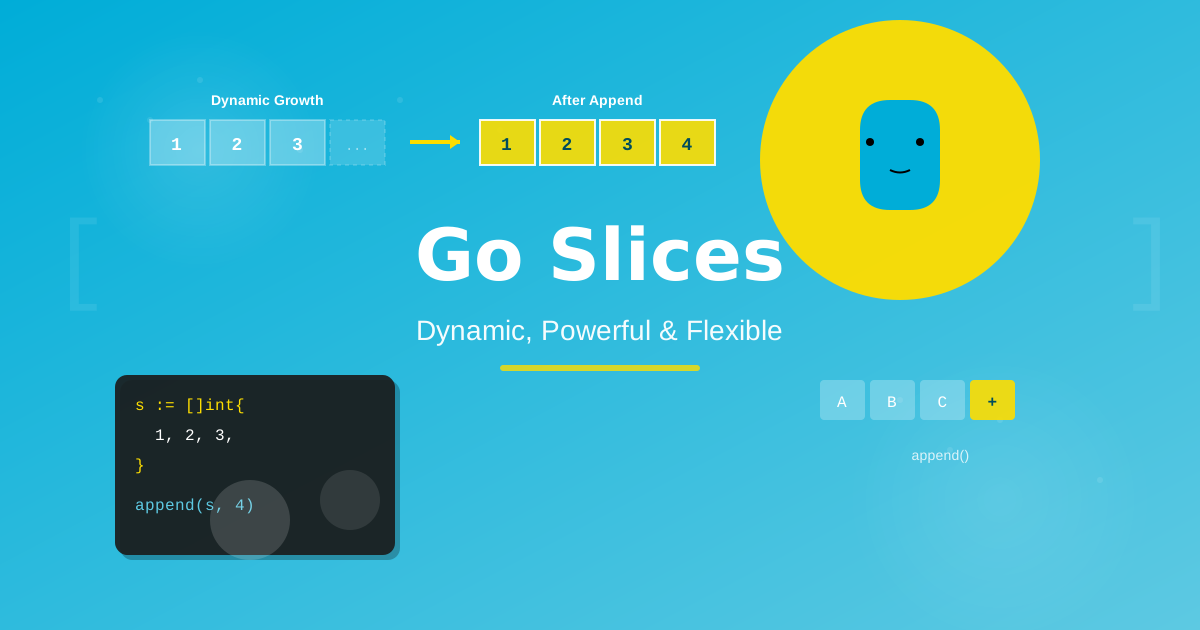
Go Slices: The Thing That Makes Arrays Actually Useful
Here's something that bit me early in my Go journey: I kept reaching for arrays, because that's what I knew. Fixed size, simple, predictable. Then I'd inevitably need to add one more element and have to rethink the whole thing.
Slices are Go's answer to that problem — and once they click, you'll use them everywhere. Let me show you how they actually work, not just what they are.
The Core Idea
An array in Go has a fixed size baked into its type. [5]int and [10]int are literally different types. That's fine when you know exactly what you need — but in practice, you rarely do.
A slice is a dynamic window into an array. It has three things under the hood: a pointer to the underlying array, a length, and a capacity. That's it. Lightweight, flexible, shareable.
// Array — fixed, size is part of the type
var fixed [5]int

// Slice — dynamic, grows as needed
var dynamic []int
dynamic = append(dynamic, 1, 2, 3)
Creating Slices
Literal syntax — when you have the values upfront:
fruits := []string{"apple", "banana", "orange"}
make — when you know the size but not the values yet:
// make([]Type, length, capacity)
s := make([]int, 3, 5)
fmt.Println(len(s), cap(s)) // 3, 5
Length is how many elements you have. Capacity is how many the underlying array can hold before Go needs to allocate a new one. Pre-allocating capacity matters for performance — more on that in a moment.
Slicing — carving a window into an existing slice or array:
numbers := []int{10, 20, 30, 40, 50}

fmt.Println(numbers[1:4]) // [20 30 40]
fmt.Println(numbers[:3])  // [10 20 30]
fmt.Println(numbers[2:])  // [30 40 50]
The Part That Trips People Up: Shared Memory
When you slice a slice, both point at the same underlying array. Modify one, you modify both.
original := []int{1, 2, 3, 4, 5}
subset := original[1:4]

subset[0] = 999
fmt.Println(original) // [1 999 3 4 5] — surprise!
This isn't a bug, it's the design — but it catches everyone at least once. When you need a truly independent copy, use copy:
duplicate := make([]int, len(original))
copy(duplicate, original)

duplicate[0] = 42
fmt.Println(original)  // unchanged
fmt.Println(duplicate) // [42 2 3 4 5]
append: The Workhorse
append adds elements to a slice and returns the result. Always assign it back — this is the other thing that trips up newcomers.
// ❌ This does nothing
slice := []int{1, 2, 3}
append(slice, 4)

// ✅ This works
slice = append(slice, 4)
You can append multiple elements, or unpack another slice with ...:
a := []int{1, 2, 3}
b := []int{4, 5, 6}

a = append(a, b...)       // [1 2 3 4 5 6]
a = append(a, 7, 8, 9)    // [1 2 3 4 5 6 7 8 9]
When capacity runs out, Go allocates a new, larger array and copies everything over. You don't manage this — but you can help it along:
// Without pre-allocation — triggers multiple reallocations
var slow []int
for i := 0; i < 10000; i++ {
    slow = append(slow, i)
}

// With pre-allocation — one allocation, much faster
fast := make([]int, 0, 10000)
for i := 0; i < 10000; i++ {
    fast = append(fast, i)
}
I personally reach for the pre-allocated version any time I'm building a large slice in a loop. The performance difference is real.
Patterns You'll Actually Use
Filtering:
numbers := []int{1, 2, 3, 4, 5, 6, 7, 8, 9, 10}

var evens []int
for _, n := range numbers {
    if n%2 == 0 {
        evens = append(evens, n)
    }
}
// [2 4 6 8 10]
Removing an element by index:
fruits := []string{"apple", "banana", "cherry", "date"}
i := 2 // remove "cherry"

fruits = append(fruits[:i], fruits[i+1:]...)
// [apple banana date]
Watch out: this modifies the underlying array. If you have other slices sharing it, they'll see the change. Use copy if that matters.
Quick Reference
// Create
s := []int{1, 2, 3}           // literal
s := make([]int, 5)           // length 5
s := make([]int, 0, 10)       // empty, capacity 10

// Read
s[0]                           // get element
len(s)                         // length
cap(s)                         // capacity

// Write
s[0] = 99                      // set element
s = append(s, 4)              // add element
s = append(s, other...)       // append slice

// Slice
s[1:3]                         // elements 1, 2
s[:3]                          // 0 through 2
s[2:]                          // 2 to end

// Copy
dest := make([]int, len(src))
copy(dest, src)
Go Slice Something
Slices show up in virtually every Go program — HTTP headers, query results, command-line args, API responses. The mental model to keep: a slice is a lightweight view into an array, with length and capacity. Once that's internalized, the behavior of append, sharing, and copy all make complete sense.
Build something that processes a list of data. Filter it, transform it, append to it. That's where slices become second nature. 🎉

Norbert Br3tt